Cutting Manual Invoice Entry: What a 65% Reduction Means for SMB Finance Teams and How to Act
Written by the Aequo AP editorial team. Reviewed and updated November 17, 2026.
A manufacturer cut manual entry about 65% in six weeks. Here is what drove it and a step-by-step plan SMB finance teams can run on their own AP.
The signal: one manufacturer cut manual entry by about 65% in six weeks
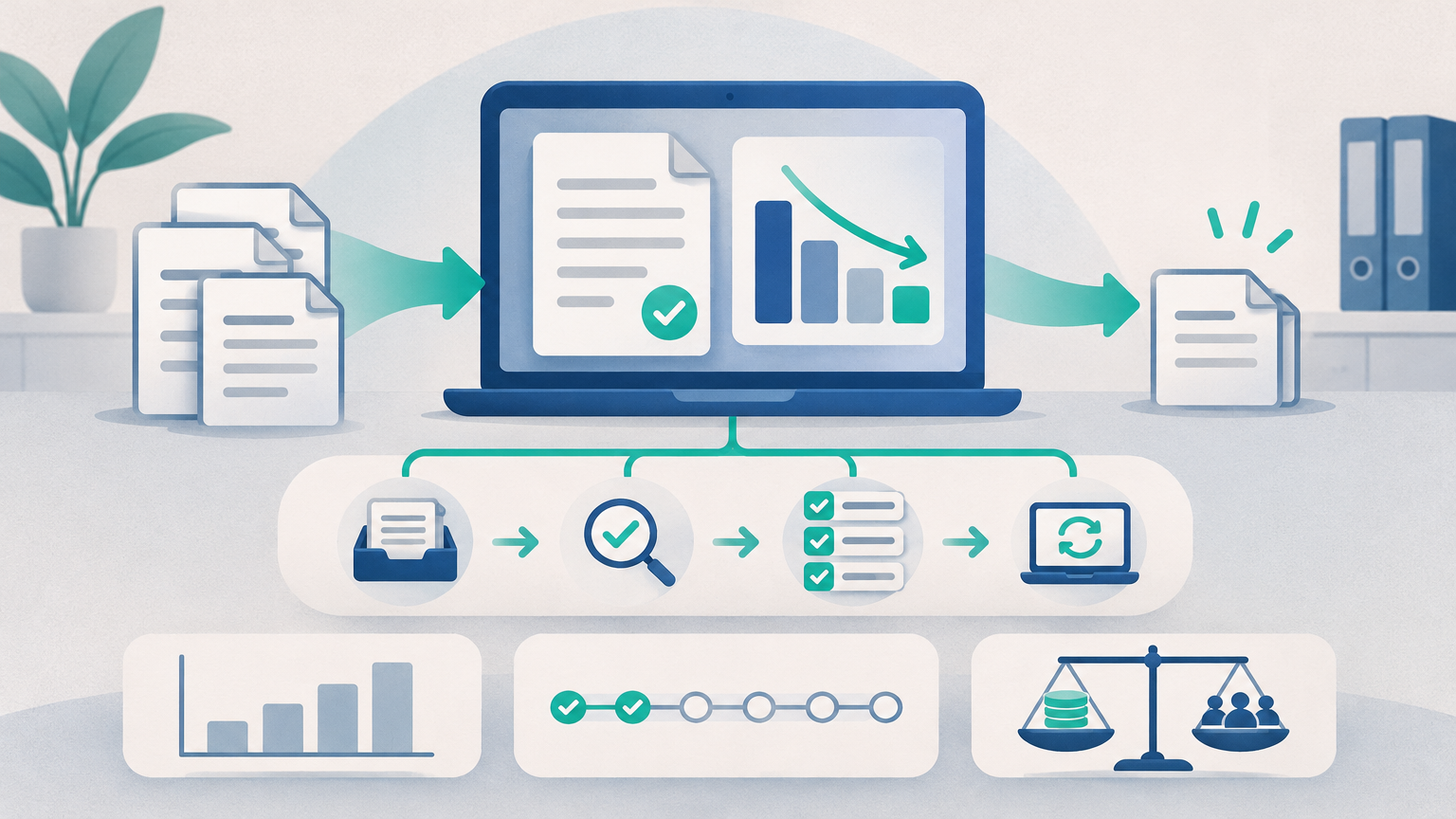
An AP software vendor has published a case study about a manufacturer that automated its inbound supplier invoices. According to that published case study, the manufacturer reported these results within six weeks:
- Manual data entry fell by about 65%.
- Receipt-to-approval time dropped from 9 days to about 3.
- Month-end close went from five days to two.
These are one company's reported results. They come from a third party, not from Aequo AP, and they are not a benchmark or a promise for your team. Your invoice mix, supplier base and approval structure will produce different numbers.
The case still matters because of how the result was achieved. For a finance manager, controller or AP manager spending the week keying invoices and chasing approvers, the useful question is which parts of it you can repeat.
What actually drove the result (and what didn't)
The case describes four moves made in a deliberate order:
- Centralized intake. Supplier invoices were arriving through four separate inboxes. Those were consolidated into one intake process before any extraction was switched on.
- AI extraction with checks at capture. Duplicate and anomaly checks ran when the invoice arrived. Problems were not left to surface at month-end.
- Multi-level approvals. Structured approval tiers replaced email sign-off.
- Clean export to the existing accounting system. The company kept its ledger. Approved invoices were exported into the system it already ran.
The company did not replace its accounting system or run a long ERP project.
The takeaway is that sequence mattered more than any single tool. If you automate capture while invoices still arrive through five channels, you end up with a faster version of a fragmented process. The order that works is intake, then capture, then approvals, then sync.
Why this matters now for SMB finance operations
Most finance teams already accept the case for automation. According to a July 2026 PYMNTS Intelligence and WEX report, 92% of organizations believe automating invoice and supplier payments frees finance teams for more strategic work. The same report found that 89% already use some form of AP automation, yet many still process thousands of invoices manually.
For SMBs, that gap is the real story. Partial automation often leaves the keying and the chasing in place. A team might add OCR but still approve by email, or automate approvals while still re-entering bills into QuickBooks Online. According to the report, integration and smooth implementation are where results are won or lost.
Analysts expect the trend to continue. Juniper Research projects that hours saved by AP automation will grow from 4.6 billion in 2026 to 6.2 billion in 2031. It attributes that growth to deeper integration with ERP and accounting software. Separately, Deloitte describes e-invoicing moving toward structured, near-real-time data exchange with tax authorities. That shift raises the bar for invoice data quality and controls.
If any of the following describes your team, it is a good time to act:
- Invoice volume is growing faster than headcount.
- You have lost an AP clerk and the process knowledge left with them.
- Month-end close keeps slipping because bills are still sitting in someone's inbox.
- You are paying late fees or losing early-payment terms because approvals stall.
Step 1: Baseline your own manual-entry and approval numbers
Do not borrow the case study's 65% as your target. Measure where you are today, so you can show what changed later.
A simple baseline worksheet
| Metric | How to measure it | Your number |
|---|---|---|
| Invoices per month | Count bills entered last month (and the average of the last three) | |
| Minutes keyed per invoice | Time 20 typical invoices end to end, from opening to posting | |
| Intake channels | Count every inbox, mailing address, portal and person suppliers send to | |
| Receipt-to-approval days | Compare the invoice received date with the approval date on a sample | |
| Days to close | Business days from period end to a closed AP subledger |
Count your exceptions
Pull last quarter's problem invoices and sort them into three buckets:
- Duplicates. Invoices paid or entered twice, or caught just before.
- Missing or mismatched POs. Invoices that could not be matched to an order or receipt.
- Coding errors. Wrong GL account, class, location or department, corrected after posting.
These counts show where automation should focus. They also become your success measures.
To turn the baseline into a budget request, use our guide to build an AP automation business case.
Step 2: Centralize invoice intake before you automate
This is the least technical step, and it is the one teams skip most often.
- Inventory every channel. Include shared inboxes, personal inboxes of approvers who get invoices directly, paper mail and supplier portals.
- Pick one intake point. Usually this is a single dedicated AP email address, with paper scanned into it.
- Tell suppliers. Send a short notice with the new address, the details every invoice must include (PO number, entity name, remit-to) and a cutover date.
- Redirect the stragglers. For a few weeks, forward anything sent to the old addresses and reply to the supplier with the new one.
Once intake is consolidated, Aequo AP's invoice capture brings incoming invoices into one place. The team works from a shared view instead of searching inboxes, which addresses the visibility problem that makes "where is that invoice?" a daily question.
Step 3: Automate capture with checks at the front door
The goal is for staff to review extracted fields, not type them.
- Extract header and line data. Capture vendor, invoice number, dates, amounts, tax and line items. Reviewers confirm the values and correct the outliers.
- Catch problems at capture. Mismatches against POs and receipts should be flagged before the invoice reaches an approver or the ledger. Fixing a problem after posting means a reversal and a reconciliation item at month-end.
- Route exceptions with context. Aequo AP's exception management sends mismatches to the right person along with the details needed to resolve them. 2-way matching is included on all plans. 3-way matching and root-cause analysis, which helps you see why the same exceptions keep recurring, are available on Growth and above.
See how automated invoice processing works in Aequo AP.
Step 4: Replace email approvals with rules-based invoice approval workflows
Email approval breaks down in predictable ways. Invoices sit unread, forwards lose attachments, and nobody can say who approved what. Replace it with explicit rules:
- Define tiers. Set routing by amount (for example, a department head under a threshold and the controller above it), by department or cost center, and by vendor or spend category.
- Name backups. Every approver needs a delegate for vacations and absences.
- Keep it shallow. Two or three levels are usually enough. Each extra level adds days to the cycle.
Aequo AP includes approval workflows that route invoices automatically, so AP no longer acts as the chaser. Every step is recorded in the audit trail, which supports both internal review and external auditors. Teams with more complex routing needs can use custom approval workflows on the Scale plan.
Every plan includes unlimited users. You can add each budget owner as an approver without per-seat cost, which removes a common reason teams keep approvals in email.
Step 5: Sync to the accounting system you already use
The fear of disrupting the general ledger is one of the most common reasons SMBs delay AP automation. The case study avoided that problem by keeping its existing accounting system, and you can too.
Aequo AP is ERP-agnostic. It sits in front of your accounting system and syncs approved bills into it.
- Live integrations: QuickBooks Online, Xero, FreshBooks and Zoho Books.
- Early access integrations: NetSuite, Sage Intacct and Dynamics 365 Business Central. These are available in early access only, so confirm scope with the team before planning a rollout around them.
The number of integrations included varies by plan. Starter includes QuickBooks integration, Growth supports up to 5 integrations and Scale supports up to 10. On Growth, QuickBooks PO and bill writeback is also available.
A clean sync cuts reconciliation work because the bill in your ledger is the same record that was captured, checked and approved. There is no second round of keying, and the GL coding is not re-done by hand. That is what moves month-end close earlier.
Step 6: A realistic six-week rollout plan
| Week | Focus | Done when |
|---|---|---|
| 1 | Baseline and intake consolidation | Worksheet completed, single intake address live, suppliers notified |
| 2–3 | Capture setup and exception rules | Real invoices flowing through extraction, matching and exception routing tested on a sample |
| 4 | Approval tiers and a one-department pilot | One department approving entirely in-system, with no email approvals |
| 5–6 | Full cutover, then measure | All departments live, old inboxes redirected, metrics compared against the baseline |
The case's six-week timeline is one example. A team handling 200 invoices a month from 40 suppliers will move faster than one with multiple entities and heavy PO matching. Plan for your own volume and complexity, not someone else's.
Handling the objections: implementation effort and cost vs. headcount
"We don't have time to implement anything"
Test the process on your own invoices before you commit. Every Aequo AP plan includes a 14-day free trial, and the trial can be extended to 30 days after a setup call. Standard onboarding is included. Paid implementation may apply depending on scope, so ask early if you have unusual requirements.
Because you keep your accounting system, there is no data migration and no change to your chart of accounts.
"Is this cheaper than another AP clerk?"
Aequo AP uses flat monthly pricing with no per-user or per-transaction charges. Pricing by plan:
| Plan | Monthly | Billed annually | Processed invoices per month |
|---|---|---|---|
| Starter | $199 | $159/month | 250 |
| Growth | $699 | $579/month | 1,000 |
| Scale | $1,999 | $1,665/month | 5,000 |
| Enterprise | Custom | Custom | Unlimited |
You do not need to frame this as cutting the team. A stronger case is redeploying AP staff away from keying toward exceptions, vendor relationships, cash planning and a faster close. It also gives you resilience when someone leaves.
We do not promise a percentage saving. Model your own numbers from your baseline using the AP automation ROI business case guide.
Beyond approval: closing the loop on payment
Faster approvals only pay off if payment runs are predictable. An invoice approved on day 3 still incurs a late fee if it misses the payment run. Once approvals are moving, align your payment schedule with approval cycle times and supplier terms. For teams modernizing how they pay suppliers, see how finance teams handle ACH payments.
Next step: run the playbook on your own invoices
The sequence is centralize, capture, check, approve and sync. None of these steps requires replacing your accounting system, and all of them can be measured against a baseline you set this week.
Start a 14-day free trial of Aequo AP and process real invoices alongside your current setup. You can centralize intake, automate invoice capture and invoice approval, and sync to QuickBooks Online, Xero, FreshBooks or Zoho Books without changing your accounting system. NetSuite, Sage Intacct and Dynamics 365 Business Central are available in early access.
Ready to modernize your AP workflow?
See how Aequo automates invoice processing, exception management, and approvals for finance teams.