Invoice Approval Stalls on Missing Context: How a Clear Handoff Brief Stops the Email Chase
Written by the Aequo AP editorial team. Reviewed and updated November 17, 2026.
Invoice approval stalls when approvers lack context. Learn what a clear handoff brief includes so invoices get approved in days, not chased by email.
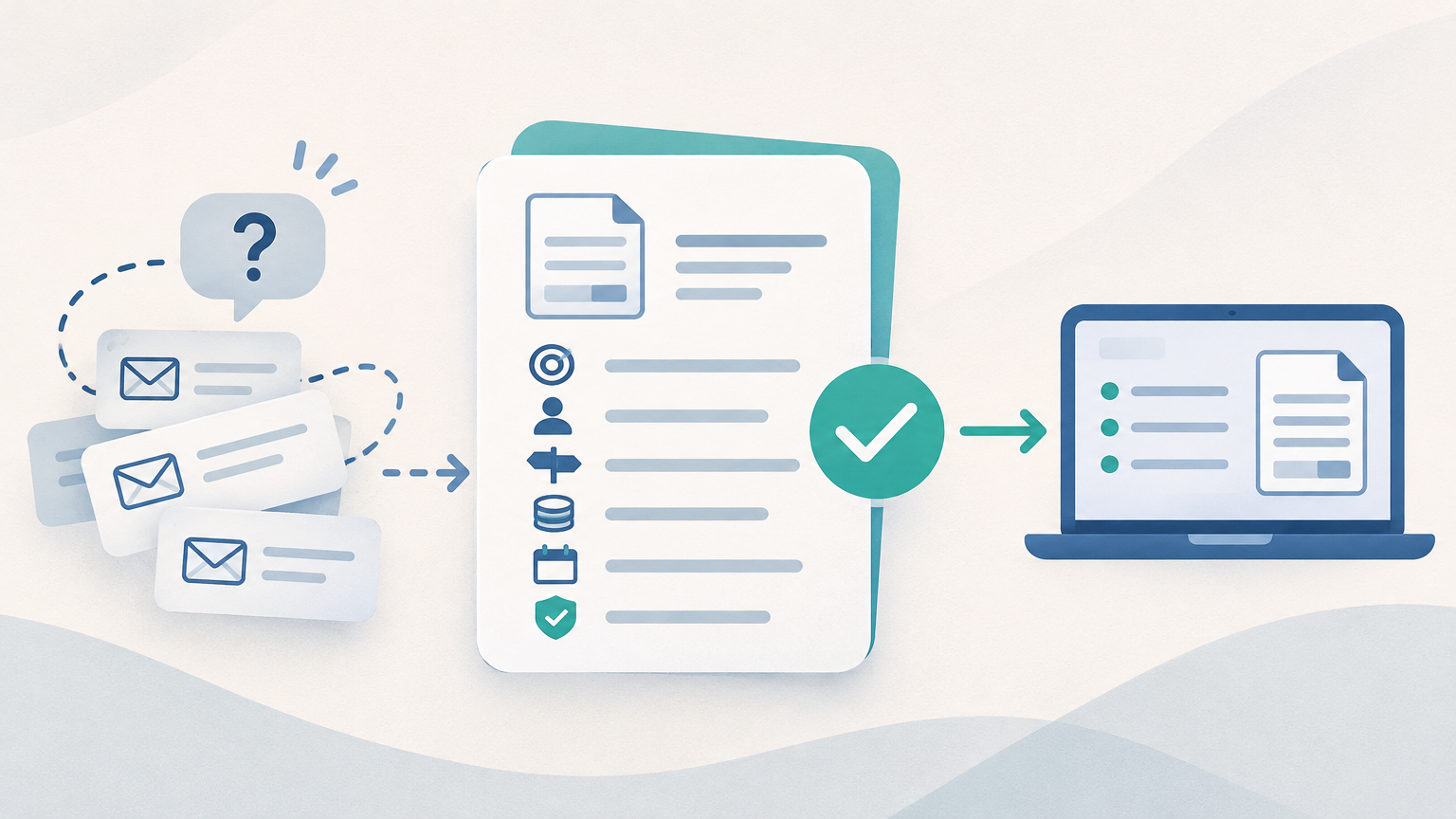
Invoice approval stalls most often because the approver can't tell what the invoice is for or what they're being asked to decide, so they reply with a question or leave it for later. A short handoff brief fixes most of that. It states the invoice's purpose, who requested it, the decision required, the budget owner, the payment terms and due-by date, and what AP has already checked. That turns a vague "please approve" into a decision the approver can make quickly, and the same context makes the later accounting handoff more deliberate.
Why invoice approval stalls: the clarification loop nobody tracks
Invoice approvals stall because the context an approver needs is scattered across inboxes. Usually the approver isn't refusing, and isn't simply neglecting the invoice. AP forwards a PDF with "please approve," and the manager can't tell whether the invoice was expected, what it covers or what they're agreeing to. So they ask a question, or they set it aside until they have time to figure it out.
Each clarification round trip resets the clock. The approver asks who ordered the item. AP forwards that question to the requester, the requester answers a day later, and AP relays the answer back. Meanwhile the vendor's payment terms keep running, and AP is chasing people by email instead of reviewing invoices.
None of this shows up in a report. The delay lives in a reply-all thread that only two or three people can see. That is the root of the problem: accounts payable (AP) at most SMBs runs on keystrokes and email threads rather than in a system. The facts an approver needs exist, but in different people's heads and inboxes.
What does an invoice approval actually ask the approver to decide?
Invoice approval is the step where an authorized person confirms that an invoice is valid and should be paid as billed. In practice, one "please approve" email often bundles four separate decisions:
- Receipt: were the goods or services actually delivered?
- Amount: is the amount correct against the quote, contract or purchase order?
- Budget: does this belong to the right budget line or cost center?
- Payment: is it OK to pay on the vendor's terms?
An approver who isn't told which of these decisions is theirs tends to default to caution. They may not know whether the item was received, so they wait to ask. They may not own the budget, so they hesitate to sign off on it. In AP, caution means delay.
What stalled approvals cost a small finance team
Stalled approvals cost money, AP time and control. The costs show up in three places:
- Missed terms and late fees. Invoices that sit past their due date can trigger late-payment penalties and lost early-payment discounts. Repeated late payments also strain vendor relationships.
- AP time spent chasing. Hours go into reminder emails, follow-ups and relaying questions between approvers and requesters rather than into reviewing invoices.
- Scattered approval history. When the record of who approved what, and why, sits in individual inboxes, it is hard to find when an auditor asks. It is gone entirely when the clerk who handled it leaves.
The size of those costs depends on your invoice volume, approval times and vendor terms, so a generic industry figure won't tell you much. You can estimate what approval delays are costing your team with your own numbers.
What context does an approver need before they can approve an invoice?
An approver needs enough context to make one specific decision without asking anyone a question. A handoff brief is a short, consistent set of facts that AP attaches before an invoice goes to an approver. It should cover six things:
- Invoice purpose. What was bought or delivered, in plain business terms. "Monthly IT support for the office network" helps an approver. A string of vendor line-item codes does not.
- Requester and whether the invoice was expected. Who ordered the item, and whether the invoice ties to a known contract, renewal or purchase order.
- The decision required. One explicit line that says what you need: approve as billed, confirm receipt, confirm the budget line, or review a flagged discrepancy.
- Budget owner or cost center. Whose budget the spend comes from.
- Payment terms and the approve-by date. The vendor's terms, and the date approval is needed to pay on time and avoid late fees.
- What AP has already checked. For example, vendor details verified, a duplicate check done, and the amount matched to the PO where one exists. Listing these checks means the approver doesn't repeat them or assume nobody looked.
The brief doesn't need to be long. Most of it fits in four or five lines, and much of it repeats for recurring vendors.
How to write a handoff brief in a couple of minutes: a worked example
A handoff brief takes a couple of minutes once you have a standard format. Here is an illustrative example: a recurring $2,400 monthly invoice from an IT managed-services vendor.
The bare request usually looks like this: "Hi Dana, please approve the attached invoice. Thanks." Dana opens the PDF, sees a vendor name she half-recognizes and a line item reading "MSP-STD-T2," and replies to ask what it covers and whether it's the usual amount. Two days pass.
Here is the same request written as a handoff brief:
| Point | Bare request | Handoff brief |
|---|---|---|
| Purpose | Not stated | Monthly IT support and network monitoring, October |
| Requester / expected? | Not stated | Requested by Ops; covered by the annual contract renewed in March |
| Decision required | "Please approve" | Approve as billed: amount matches the contract rate |
| Budget owner | Not stated | Dana, IT operating budget |
| Terms and approve-by date | Not stated | Net 30; approve by Nov 20 to pay on time |
| Checks done | Not stated | Vendor details confirmed, no duplicate found, amount matches contract |
The brief's "decision required" line does most of the work. It turns an open question into a yes or no that Dana can answer from her phone in under a minute.
Use this checklist for every invoice you send for approval:
- Purpose, in plain terms
- Requester, and whether the invoice was expected
- Decision required, in one line
- Budget owner or cost center
- Payment terms and approve-by date
- Checks AP has already done
One habit makes the brief better over time. When an approver asks a clarifying question, add the answer to your standard brief for that vendor or invoice category. The same question then won't come back next month.
Who should approve an invoice, and why the right approver still needs context
The right approver is the person who owns the decision. The budget owner approves the spend, and the requester confirms that goods or services were received. Matching approvers to decisions cuts back-and-forth, because nobody is asked to vouch for something they can't see.
Routing to the right person doesn't remove the clarification loop on its own, though. A budget owner who receives an invoice with no stated purpose still has to ask what it is. Routing and context work together: routing gets the invoice to the right person, and context lets that person decide.
Separation of duties belongs in the same design. According to Boermans Digital, a controlled invoice workflow with clear ownership, rule-based routing and separation of duties reduces rework and discrepancies and helps prevent premature payments. To design the wider process around who approves what, read our invoice approval workflow best practices.
How clear approval context makes the accounting handoff more deliberate
Context settled at approval makes recording the invoice in the books a confirmation rather than a guess. Once the invoice's purpose and budget owner are agreed at approval, whoever codes the invoice is checking an answer that already exists. They are not inferring a GL account from a vendor name.
That context has knock-on effects at month-end. Invoices that stall, get approved late or get reversed are the ones most likely to be entered late, entered twice or never entered at all. Those gaps are what turn month-end into a reconciliation scramble. Fewer stalled approvals mean fewer gaps between AP and the general ledger to hunt down.
The approval record improves too. When the brief travels with the invoice, the record shows who approved it, what they were asked to decide and what they knew when they decided. That record is the evidence auditors ask for. Without it, a team has to reconstruct approval history from old email threads after the fact.
Why email reminders, spreadsheets and extra headcount don't fix stalled approvals
Reminders, spreadsheets and extra staff all leave the process in the same place: email threads and individual memory.
- Reminder emails depend on someone remembering to send them and someone else acting on them. A reminder about an invoice the approver didn't understand the first time doesn't make that invoice any clearer.
- Shared spreadsheets track status only as well as people update them. Exceptions, duplicates and stalled invoices still slip through.
- Extra AP headcount scales the same manual process instead of fixing it. Many finance teams are also expected to absorb invoice volume growth without new hires.
There is also a continuity problem. When approval context lives in one clerk's inbox, it leaves when they do, and the next person starts over.
The handoff brief helps even on email. It holds up best, though, when approval runs in one place that everyone on the team can see and pick up.
When it makes sense to move invoice approval into one controlled workflow
A controlled approval workflow makes sense once the email-based process keeps failing in visible ways. Common signs:
- Invoice volume is growing faster than the team.
- Approval delays are causing late-payment penalties.
- Month-end close keeps slipping because of AP reconciliation.
- AP staff turnover keeps resetting what the team knows about vendors and approvers.
Our view at Aequo AP is that AP should run as one controlled workflow that sits alongside the accounting system a team already uses, not in place of it. In that workflow, each invoice reaches the right approver, exceptions are flagged rather than buried, and approval history stays attached to the invoice instead of scattered across inboxes.
Aequo AP is one example of that approach. It is ERP-agnostic and connects today with QuickBooks Online, Xero, FreshBooks and Zoho Books. NetSuite, Sage Intacct and Dynamics 365 Business Central are available in early access. If you're weighing tools, you can compare invoice approval software side by side. Whatever you choose, keep the handoff brief: software gets an invoice to the right person, but a clear brief is what lets that person decide.
Next step: measure what approval delays cost you
Most stalled invoice approvals are a context problem, not a speed problem. A consistent handoff brief turns vague requests into decisions approvers can make quickly. It also gives the accounting handoff and the audit trail something solid to stand on.
Start by putting a number on the problem. Use the free Invoice Approval Delay Calculator, linked in the cost section above, to estimate what stalled approvals cost your team today. Then add a handoff brief to your next batch of invoices awaiting approval, and compare how many come back with questions.
Ready to modernize your AP workflow?
See how Aequo automates invoice processing, exception management, and approvals for finance teams.